
Month end close and WolfePak conversion
Your books, closed every month.
Month-end close: the checks and entries that make a month's books final. We match your bank accounts, book the entries, review the financials, and send you the reports. On QuickBooks? We convert you to WolfePak first.
20 clients and hundreds of wells operated
What you get
What lands on your desk.
- Bank accounts matched Each account, like operating, oil sales, and payroll, matched to the books.
- Entries booked The month's journal entries, like overhead and shared cost billing.
- Financials reviewed We review the month's financials and fix what is off before the month is final.
- Lease operating statements Revenue and costs by lease or well, when you need them.
- Budget against actual Spending on each AFE compared with what was approved.
- QuickBooks to WolfePak conversion On QuickBooks or another system? We convert your books to WolfePak, then close each month in it.
How it works
Three steps.
Give us access to your books.
We process your books in WolfePak. On QuickBooks or another system? We convert your books to WolfePak first.
Send bills and statements as they come.
Forward vendor bills and buyer check stubs to your RedBird address. Or reply to our text with a photo or a file.
You approve. We close the month.
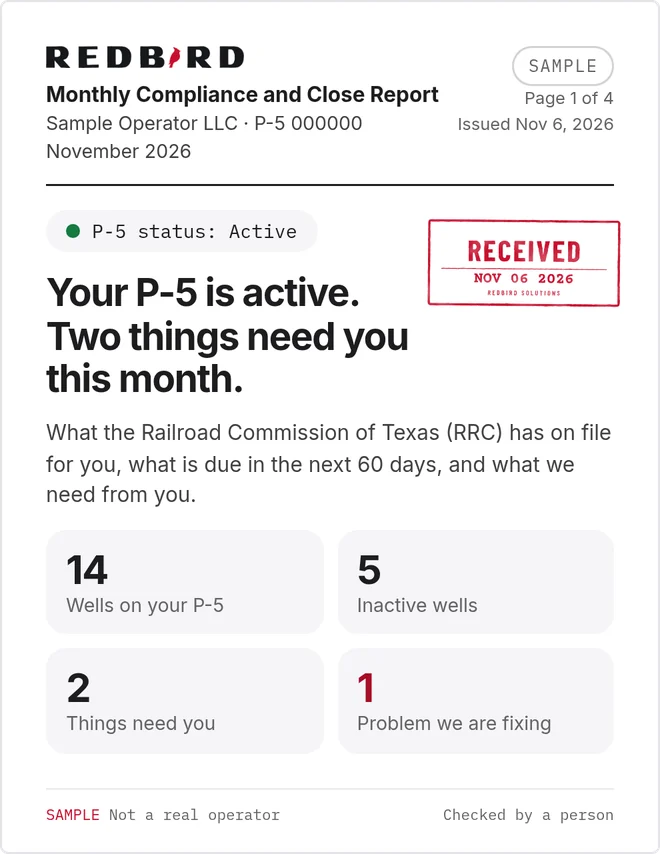
You approve every payment before it goes out, unless your agreement says otherwise. We close the books, and you get the Monthly Compliance and Close Report.
Compare
The old way vs RedBird.
The old way: The month never quite closes.
With RedBird: Bank accounts matched, entries booked, and financials reviewed every month.
The old way: Books in QuickBooks or spreadsheets.
With RedBird: Your books converted to WolfePak, with your wells and owners added.
The old way: Year end is a scramble for your CPA.
With RedBird: Clean monthly books your CPA can use at year end.
The terms, in plain English.
- Bank reconciliation
- Matching your books to your bank statements, for each account, every month.
- Journal entry
- A manual entry to book or move an amount, like billing out overhead or fixing a cost.
- LOS (lease operating statement)
- A monthly report of revenue and costs for each lease or well, so you see how each one is doing.
- Budget against actual
- Comparing what you planned to spend, like on an AFE, with what you spent.
- QuickBooks to WolfePak conversion
- Moving your books from QuickBooks or another system into WolfePak, the oil and gas software we process in, with your wells and owners added.
Questions.
What happens in a month-end close?
We match each bank account to the books, book the entries for the month, review the financials, and fix what is off. Then the month is final.
How is a conversion priced?
Conversions, like QuickBooks to WolfePak, are quoted as part of your engagement.
Can you move us off QuickBooks?
Yes. QuickBooks to WolfePak conversion is one of our services. We move your books into WolfePak and add your wells and owners, then do the monthly work in it.
What is an LOS?
A lease operating statement. It shows revenue and costs for each lease or well for the month.
Do you prepare our tax returns?
No. We give your CPA what they need from the books. See severance tax and 1099s.
Where do I see the close?
In your Monthly Compliance and Close Report, next to your state filings.
Get started
Get your back office off your desk.
Tell us what you need. We look up the public record the state keeps on your operator number. Then we reply to set up a call.
20 clients and hundreds of wells operated